Remove Text from Images Online
Clean unwanted words from photos, screenshots, product images, posters, scanned pages, and image based PDF pages. Remove subtitles, captions, labels, price tags, signs, annotations, UI text, and overlays while keeping the surrounding image natural.
Drop your files here
or click to browse files
Remove Price Tags and Labels from Product Images
Erase price text, sale labels, promo stickers, shelf tags, packaging words, and unwanted product labels from ecommerce photos, marketplace images, catalog pictures, and ad creatives while keeping the product photo clean.


Remove Text from Posters, Flyers, and Signs
Clean event dates, old slogans, contact details, menu text, sign text, labels, and printed words from posters, flyers, banners, signage photos, and flattened design images before updating or redesigning the visual.


Remove Text from Travel and Street Photos
Erase signs, labels, captions, store names, street text, banners, and visible words from travel photos, city shots, storefront images, and everyday outdoor pictures while keeping the scene natural.
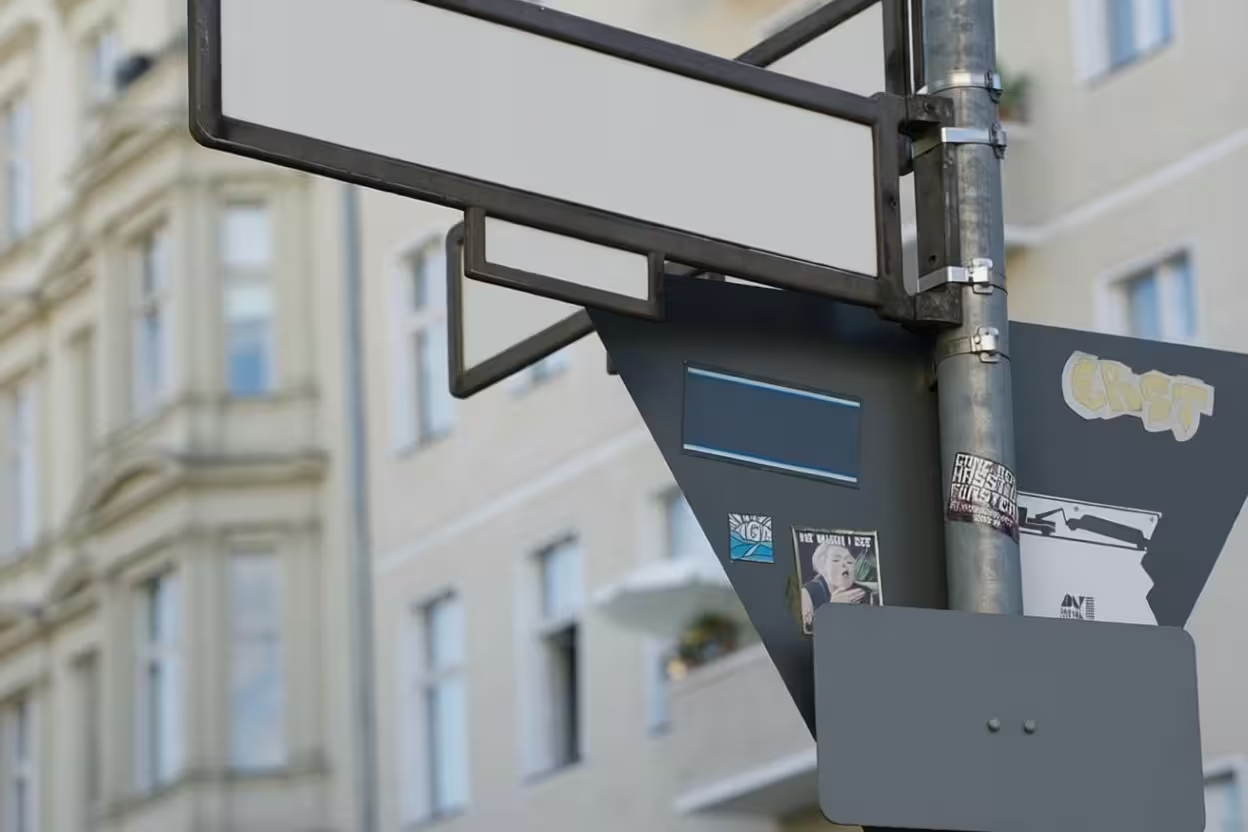
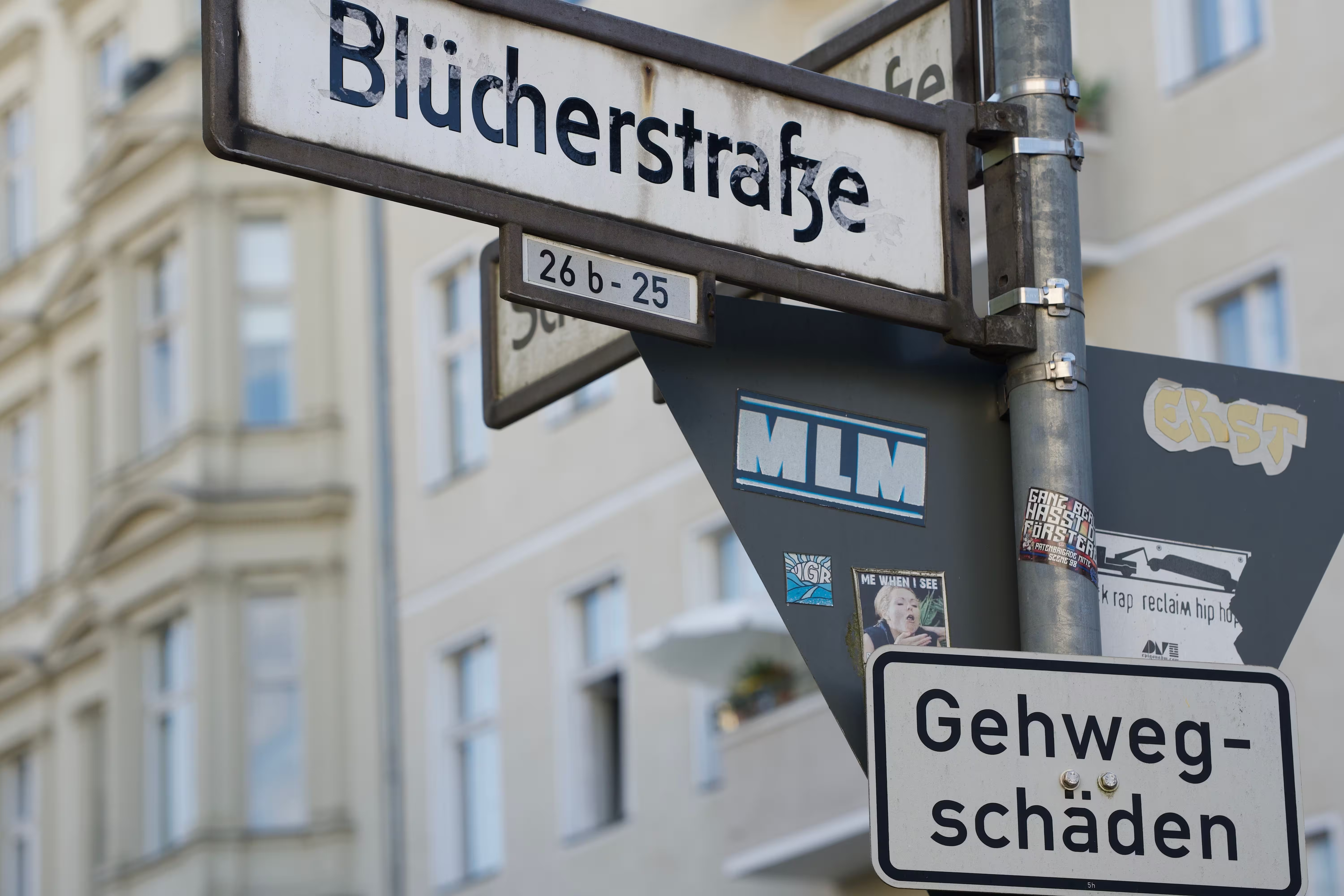
Remove Text from an Image in 4 Steps
Upload Your Image
Choose a JPG, PNG, WebP, or PDF file from your device. You can upload photos, screenshots, product images, posters, scanned page images, or image based PDF files.
Click Process
After the file is uploaded, click the Process button. The tool starts cleaning the visible text automatically without manual brushing, masks, or text selection.
Let the Tool Clean the Text Area
The remover detects visible words in the image and reduces subtitles, captions, labels, price tags, signs, annotations, UI text, and overlays while rebuilding the surrounding background.
Preview and Download
Review the cleaned result, make sure the image looks natural, then download the processed image or PDF page output.
Reuse Images After Removing Old Text
Clean embedded text before republishing, translating, or redesigning.

Update Images for New Campaigns
Remove old dates, prices, slogans, or promo copy so an existing image can be refreshed for a new post, listing, ad, or campaign.

Prepare Visuals for Translation
Clear text before adding new words in another language for localized ads, social graphics, product visuals, posters, or learning materials.

Hide Private Details Before Sharing
Remove names, timestamps, addresses, labels, or other visible words before sharing screenshots or document photos.
More Tools
Explore more tools for cleaning images, documents, scanned pages, and visual files online.
Handwriting Remover
Remove handwriting, pen marks, highlights, scribbles, and written notes from document images and PDF files while keeping the original page readable.
Document Shadow Remover
Clean hand shadows, phone shadows, dark corners, gray backgrounds, and uneven lighting from document photos, scans, and PDF pages.
Background Remover
Remove image backgrounds from product photos, portraits, objects, and design assets for cleaner reusable visuals.
Frequently Asked Questions
Find answers to common questions about removing visible text from images, screenshots, product photos, scanned pages, and image based PDF files.
Can I remove text from an image?
Yes. Upload a JPG, PNG, or WebP image, then click Process. The tool can remove visible text such as subtitles, captions, labels, price tags, signs, annotations, UI text, and overlays while keeping the surrounding background as natural as possible.
Can I remove subtitles from a screenshot?
Yes. You can clean subtitles, captions, timestamps, usernames, and other visible words from video screenshots, social media captures, tutorial images, and saved screen content. Results are best when the text is clear and the background is not too complex.
Can I remove price tags or labels from product photos?
Yes. You can use it to clean price text, sale labels, promo stickers, shelf tags, packaging words, and unwanted product labels from ecommerce photos, marketplace listings, catalog images, ads, and marketing visuals.
Can I remove text from posters, flyers, or signs?
Yes. The tool can remove event dates, old slogans, contact details, menu text, sign text, labels, and printed words from posters, flyers, banners, signage photos, and flattened design images.
Does it work on PDF files?
Yes, but PDFs are handled as page images. This works best for scanned PDFs, flattened PDF designs, screenshots saved as PDFs, and image based PDF pages where the visible text is part of the picture.
Can it remove editable PDF text?
This tool is designed for visible text inside images or image based PDF pages. It is not a PDF editor for selecting and deleting editable text layers from a digital PDF.
Do I need to brush over the text manually?
No. Upload your file and click Process. The tool automatically detects and cleans visible text areas without requiring manual brushing, masking, or text selection.
Will the background look natural after text removal?
The tool aims to rebuild the removed area using nearby visual details. Simple backgrounds, flat colors, repeated textures, walls, skies, packaging, screenshots, and clean surfaces usually produce better results than complex patterns or detailed faces.
What image formats can I upload?
You can upload JPG, PNG, WebP, and PDF files within the file size limit. For PDF uploads, image based pages are processed as visual page images.
Are my files private?
Yes. Uploaded files are processed securely and are not used for AI training. Free users' files are automatically deleted from our servers within 24 hours.
Remove Text from Your Image
Upload a JPG, PNG, WebP, or image based PDF file, click Process, and clean subtitles, captions, labels, price tags, signs, UI text, annotations, and overlays from your visual.